
Designing the card
The app draws the frame of every card: the icon, the title, the status tint, “Updated …”, and the
running, failed, paused and stale states. summary() fills in the content. The exact shape and
limits are in Summary and blocks.
| Field | Use |
|---|---|
title, subtitle |
The default title is the item’s name. |
status |
"ok", "info", "warning", "critical" or "neutral": the tint and the dot. |
primary |
The big value, with unit, label and an optional trend (direction, text, sentiment). |
blocks |
Up to 8 blocks, below. Falsy entries are skipped, so cond && block works. |
footnote |
Small print at the bottom. |
url |
Opened when the card is tapped. |
Blocks
Section titled “Blocks”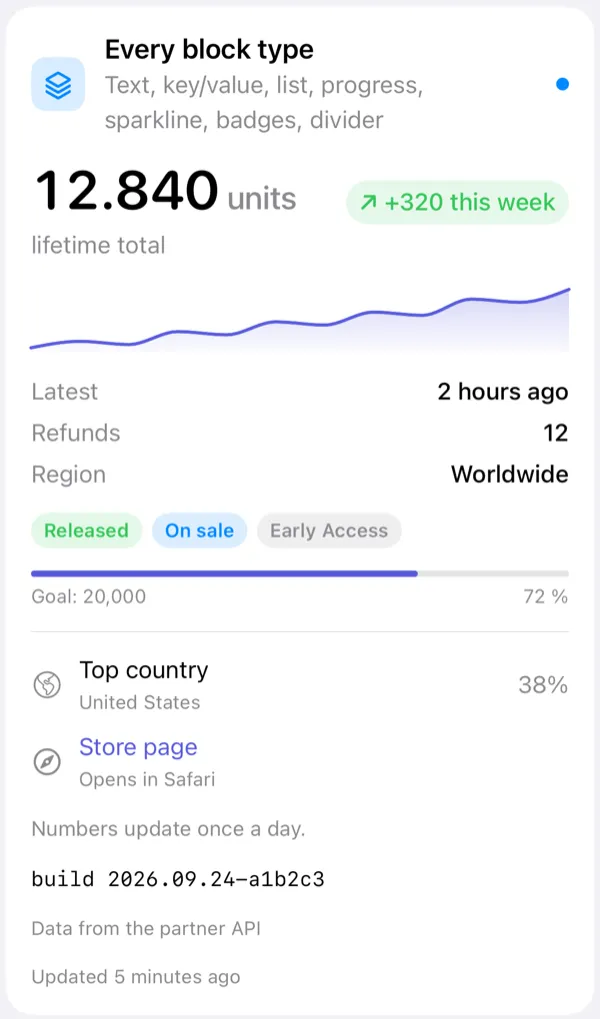
{ type: "sparkline", values: [3, 5, 4, 8, 7, 11], status: "ok" } // ≤ 200 points{ type: "keyValue", rows: [{ key: "Latest", value: { date, style: "relative" } }] } // ≤ 8 rows{ type: "badges", items: [{ text: "Released", status: "ok" }, "Early Access"] }{ type: "progress", value: 0.72, label: "Goal: 20,000" } // 0…1{ type: "divider" }{ type: "list", items: [{ title, subtitle, trailing, url, symbol }] } // ≤ 10 items{ type: "text", text: "Numbers update once a day.", style: "caption" } // body, caption, monosymbol and icon.symbol are SF Symbols names. Unknown
block types are skipped, so newer scripts still work in older apps.
Give the card dates, not text: { date: "2026-09-20T10:00:00Z", style: "relative" } renders as
“6 days ago” and stays current on a card that isn’t refreshed. The styles are relative,
date, time and dateTime. A JavaScript Date becomes a relative date. Never pre-format
“5 minutes ago”.
States you don’t draw
Section titled “States you don’t draw”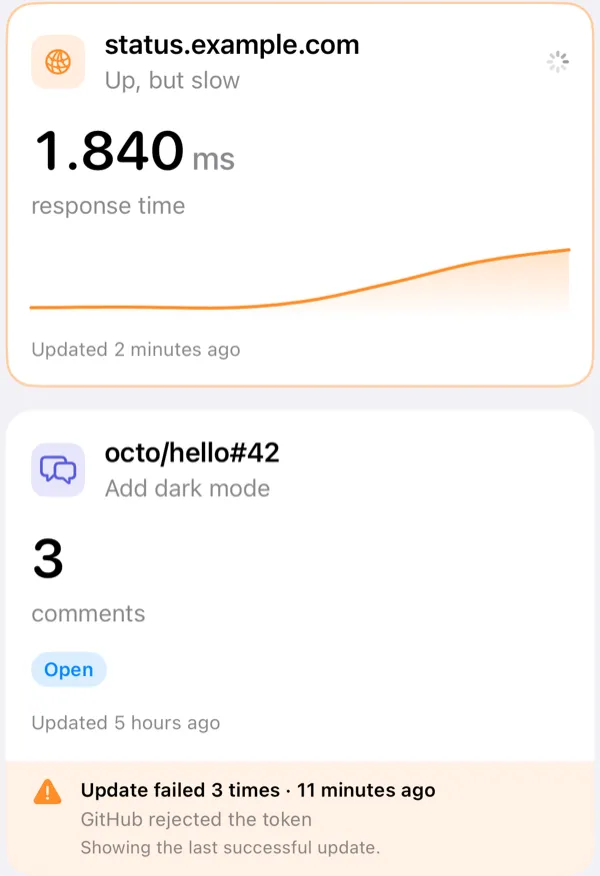
A warning card while it updates, and a card whose updates keep failing: the last good summary
stays, with the error below. You don’t draw these; they follow from status and from thrown
errors.
Everything the card needs is in state
Section titled “Everything the card needs is in state”The app never runs scripts just to draw the feed; it shows the summary saved by the last run.
summary() gets the state and can read the store, but has no network. Keep everything it needs in
one of them.
Smaller screens
Section titled “Smaller screens”Widgets, the Mac’s menu bar item and the watch draw a compact version of the same card: the icon,
title, primary value and trend, and the first block that fits (a sparkline, progress bar, rows or
badges) where there’s room. The watch shortens long cards: at most six blocks, six rows, five list
items and the last 40 sparkline points. Put the most important thing in primary.